# Your city
> Every project is an apartment building and every task a home. Finish a task and someone moves in. Watch your city grow, reach milestones and share a picture.
Source: https://todocity.app/docs/city
Congratulations, you're the mayor of a brand-new city. It starts out quiet and dark, and the only way anyone moves in is when you get something done. Every task you finish lights up a window, and it stays lit for good.
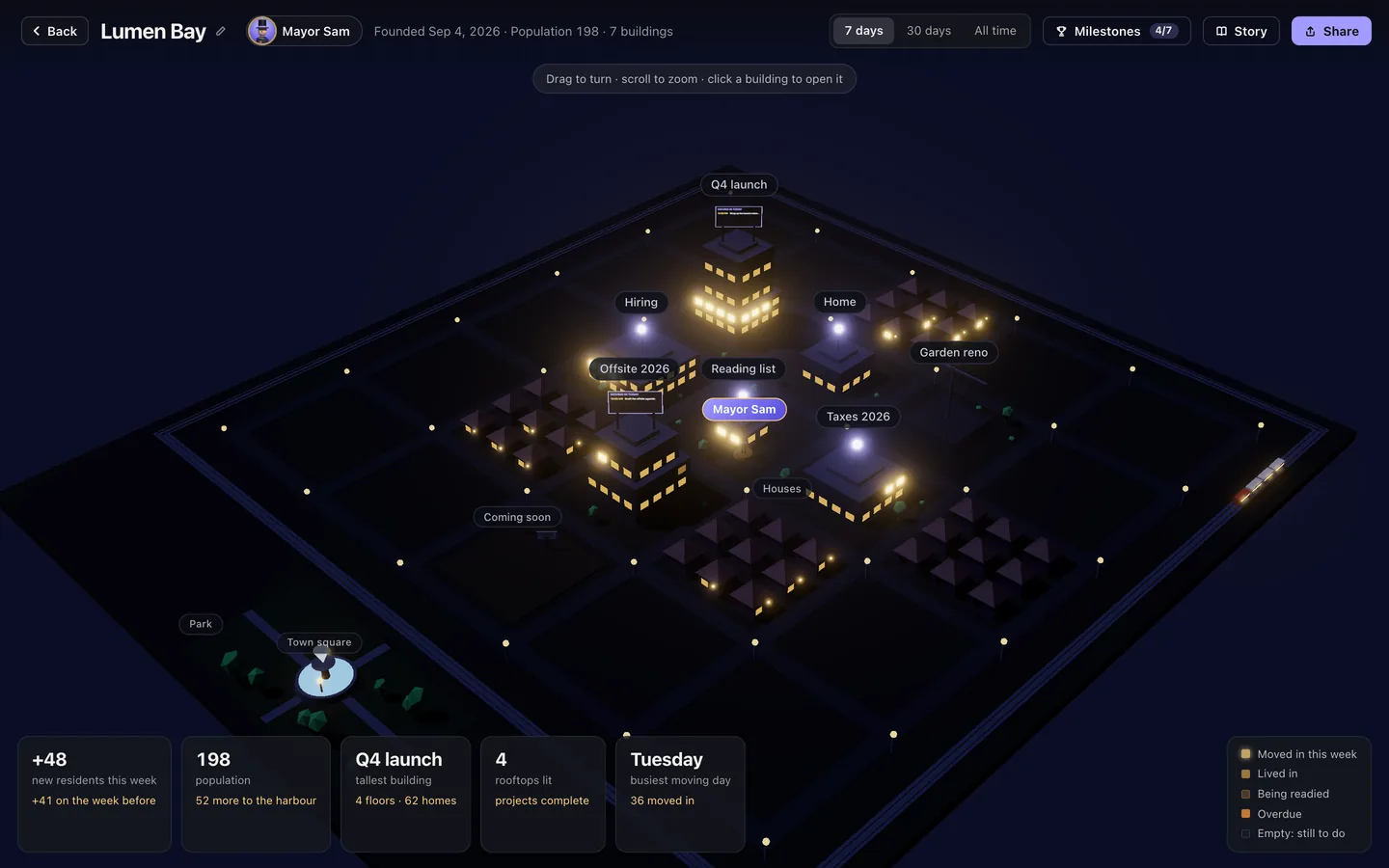
## How your city works
| In your city | In TodoCity | What you see |
| --- | --- | --- |
| An apartment building | A project | It goes up when you start the project. The older the project, the closer to downtown it stands |
| A floor | A section of a project | You name it, like “1st Floor: Travel” or “2nd Floor: Program”. Tasks that aren't in a section live on the ground floor |
| A home | A task | A new task is an empty home with a dark window. Finish it and someone moves in, so the lights come on and stay on |
| A faint glow | Sub-tasks under way | Tick off some sub-tasks and the window starts to glow behind the curtains |
| Blinking amber | An overdue task | Someone's waiting at the door |
| A house | A task in no project | Little houses line the edge of town, and their porch lights come on once they're done |
| “Coming soon” plots | Someday ideas | Ideas you haven't planned yet |
| The “Moving in today” billboard | Today's timed tasks | Up on the building's roof, in time order |
| A rooftop light | A finished project | Every home in the building has someone living in it |
| A crane and trucks | A project just starting | A crane stands over an empty lot, and trucks circle buildings nobody has moved into yet |
| Luxury cars | Your tallest tower | The project you've finished the most of |
| Population | Every task you've finished | Your number as mayor, as in “Mayor Sam · Lumen Bay · population 198” |
Each floor is just as wide as its homes need, and the floors with the most homes go at the bottom, so every building gets narrower as it rises.
## Milestones
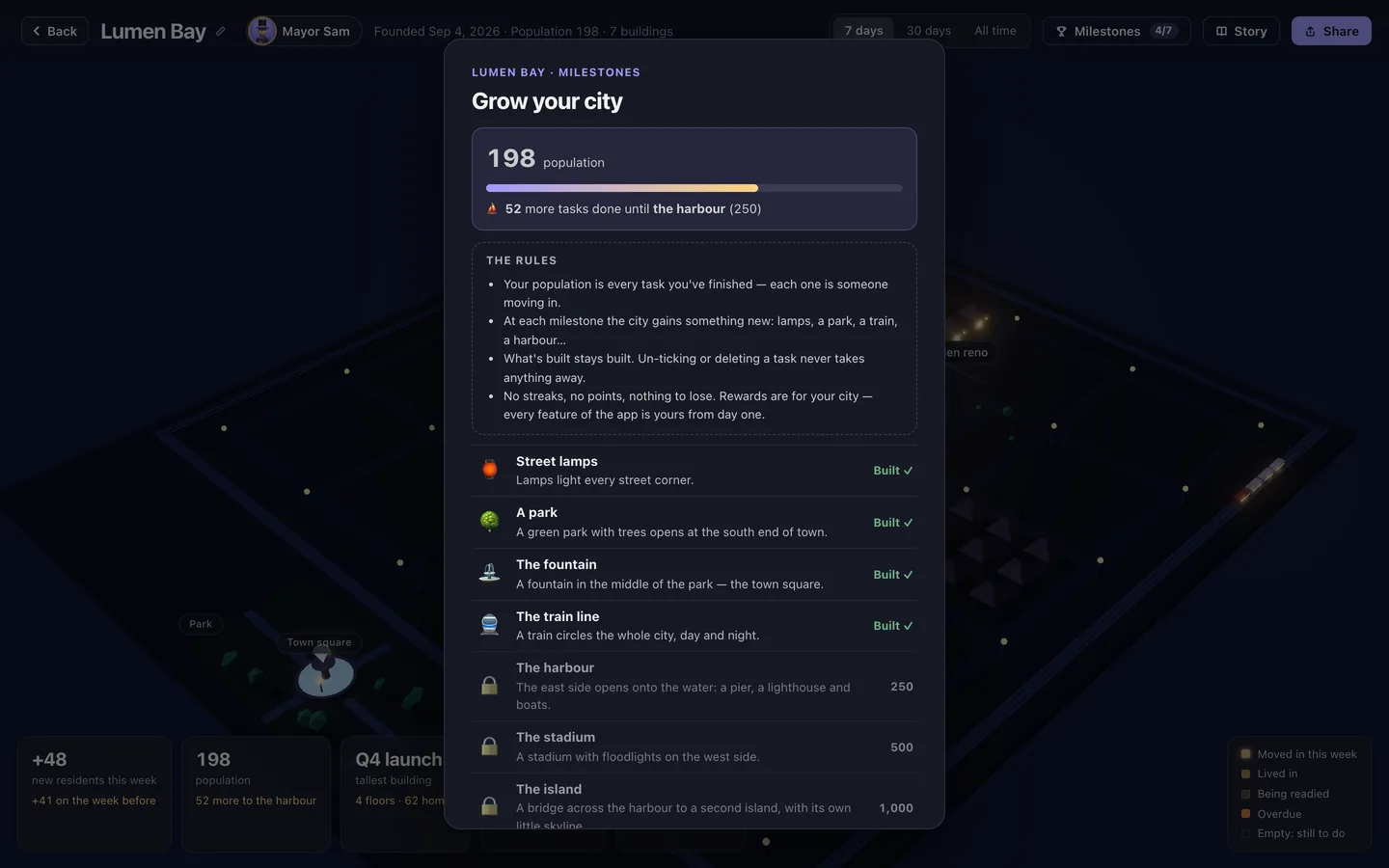
Your population counts every task you've ever finished. Each time you hit a milestone, your city gains something new, and it's yours to keep.
| Population | Your city gains |
| --- | --- |
| 10 | Street lamps on every corner |
| 25 | A park at the south end of town |
| 50 | A fountain in the park, which becomes the town square |
| 100 | A train line looping round the city |
| 250 | A harbour with a pier, a lighthouse and boats |
| 500 | A stadium with floodlights |
| 1,000 | A bridge across the harbour to a second island |
To see what's been built and how far you are from the next one, open your city and click **Milestones**. Each milestone gets celebrated once, and adds a new chapter to your city's **Story**.
## Calm by design
Your city only ever grows.
- **What's built stays built.** Un-ticking or deleting a task never takes anything away.
- **There are no streaks, points or penalties.** A quiet week is just a quiet week.
- **Rewards are just for your city.** You get every feature of TodoCity from day one.
## Explore it
In full screen, your city sits in the bottom-right corner and glows whenever someone moves in. Click it to open the city in 3D.
- **Drag** to look at it from any angle, **scroll** to zoom, and **double-click** to reset the view. The arrow keys, +, − and 0 work too.
- **Point at a window** to see its task, and whether the home is empty, being readied or overdue, or when someone moved in. Point at a building to see how many of its homes are lived in and how many are still empty.
- **Click a building** and TodoCity glides over to it and opens that project. Click the houses to see tasks that aren't in a project, or a plot to see Someday.
- **Story** walks you through how the city works, one page at a time.
- Look back over the last **7 days**, **30 days** or **All time** to see new residents, your population, your tallest tower, finished projects and your busiest moving day.
Press Esc to go back to your tasks.
## Share a picture of your city
Click **Share** in your city to make a picture of it with its name, and if you like, how many things you got done this week.
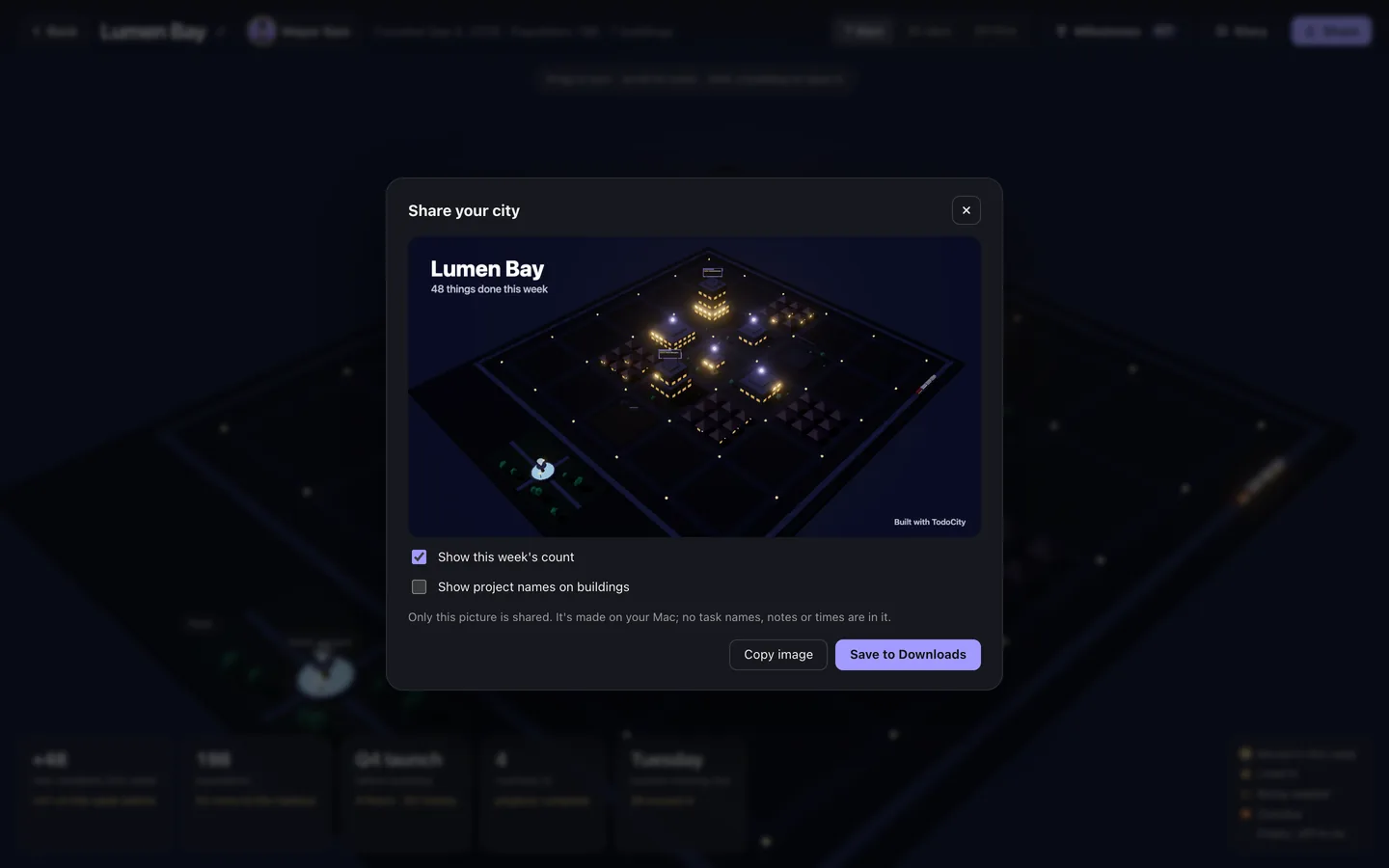
- **Show this week's count** adds the number of things you finished this week.
- **Show project names on buildings** stays off unless you turn it on.
- Then choose **Copy image** or **Save to Downloads**.
> [!PRIVATE]
> Only the picture is shared, and only when you choose to share it. It's made on your Mac and doesn't include any task names, notes or times.
## Make it yours
You'll find these in **Settings → Your city**:
| Setting | What it does |
| --- | --- |
| **Show my city in the footer** | Keeps the city card in full screen's footer, or hides it if you prefer a clean screen |
| **City name** | Names your city, or renames it |
| **Mayor** | Your name as mayor |
| **Mayor's figure** | Picks your 3D mayor |
| **Sky** | **Follow theme**, **Night** or **Dusk** |
| **Moving cars and blinking windows** | Turns on cars, trucks and blinking windows, or keeps the city still |
If you have **Reduce motion** turned on in macOS, the city stays still too.