Your data
Your tasks live in one file on your Mac. TodoCity keeps a backup for each of the last 7 days, and exports to CSV or JSON whenever you like.
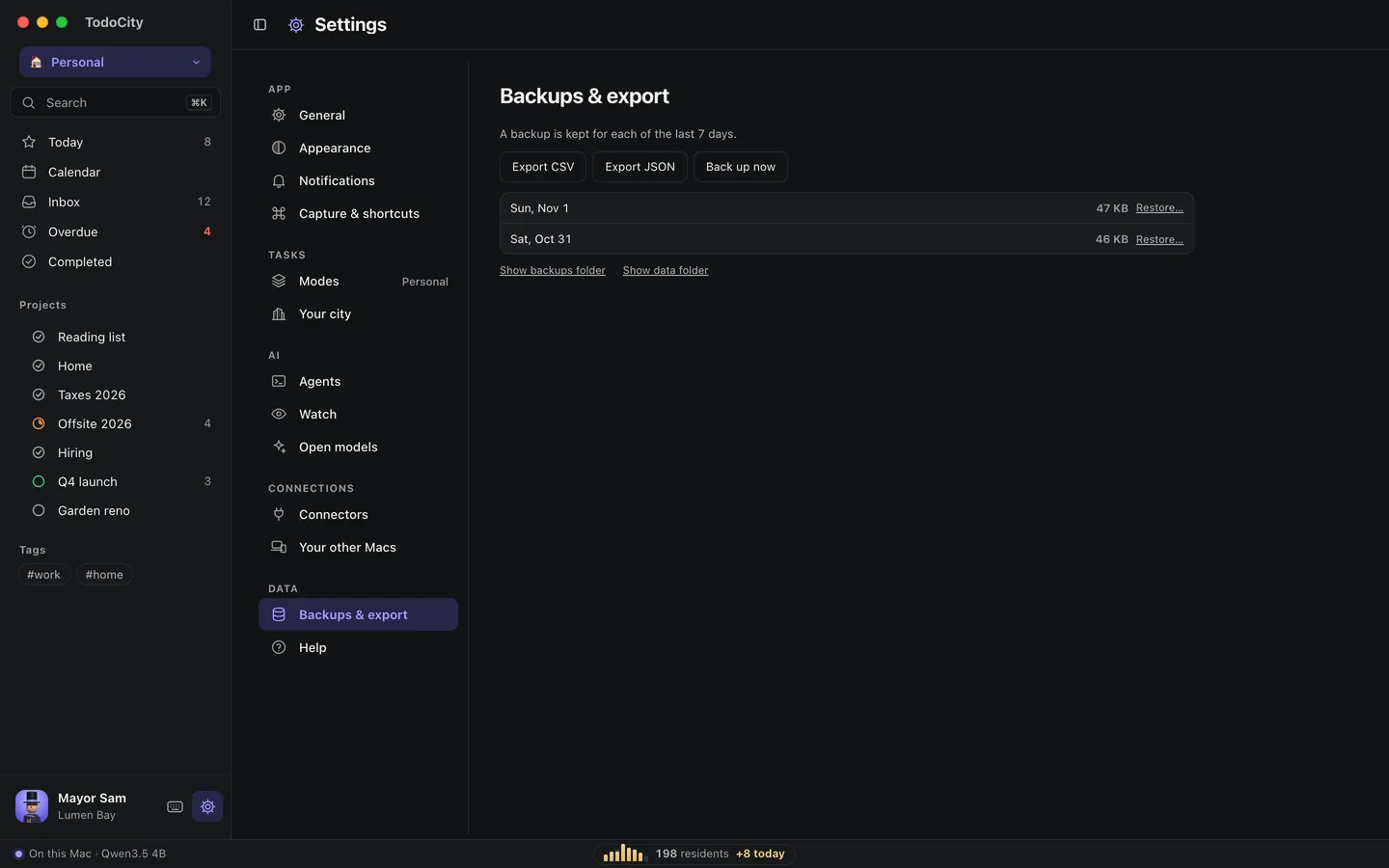
All your tasks live in a single SQLite file on your Mac, inside a folder TodoCity keeps for itself. There's no account involved, and you can back up, export or restore everything from Settings → Backups & export.
The data folder
Everything TodoCity keeps on this Mac sits in one folder, including your tasks, backups, AI models and settings:
~/Library/Application Support/TodoCity/
To open it in Finder, click Show data folder in Settings → Backups & export.
Daily backups
TodoCity keeps one backup for each of the last 7 days, in the backups/ folder inside the data folder. It also makes a backup at these moments:
| Backup | When |
|---|---|
| before import | Just before you bring in tasks from Todoist or Things 3 |
| before restore | Just before you restore a backup |
| manual | Whenever you click Back up now |
Show backups folder opens them in Finder.
Export
- Export CSV saves your tasks as a CSV file in Downloads, ready to open in a spreadsheet.
- Export JSON saves them as a JSON file in Downloads.
Restore a backup
- Open Settings → Backups & export.
- Click Restore… next to the backup you want.
- Click Restore when TodoCity asks Replace your tasks?
Before it restores, TodoCity backs up the tasks you have right now, marked before restore, so you can undo a restore too.
More than one Mac
If you want the same tasks on more than one Mac, pair them using Sync between your Macs.
Delete everything
To delete your tasks and models from this Mac, quit TodoCity and remove its data folder:
rm -rf ~/Library/Application\ Support/TodoCity ~/Library/Application\ Support/app.pluck.desktop
If you use sync, turn it off in Settings → Your other Macs first. Or, if you've already deleted the folder, remove the “app.todocity.sync” item in Keychain Access afterwards.