Today
Today shows what's due and planned for today, what's left for this evening, and anything late, with the day's hours beside it.
Today puts everything for today in one list. Anything late sits at the top, then come today's tasks, and then This Evening.
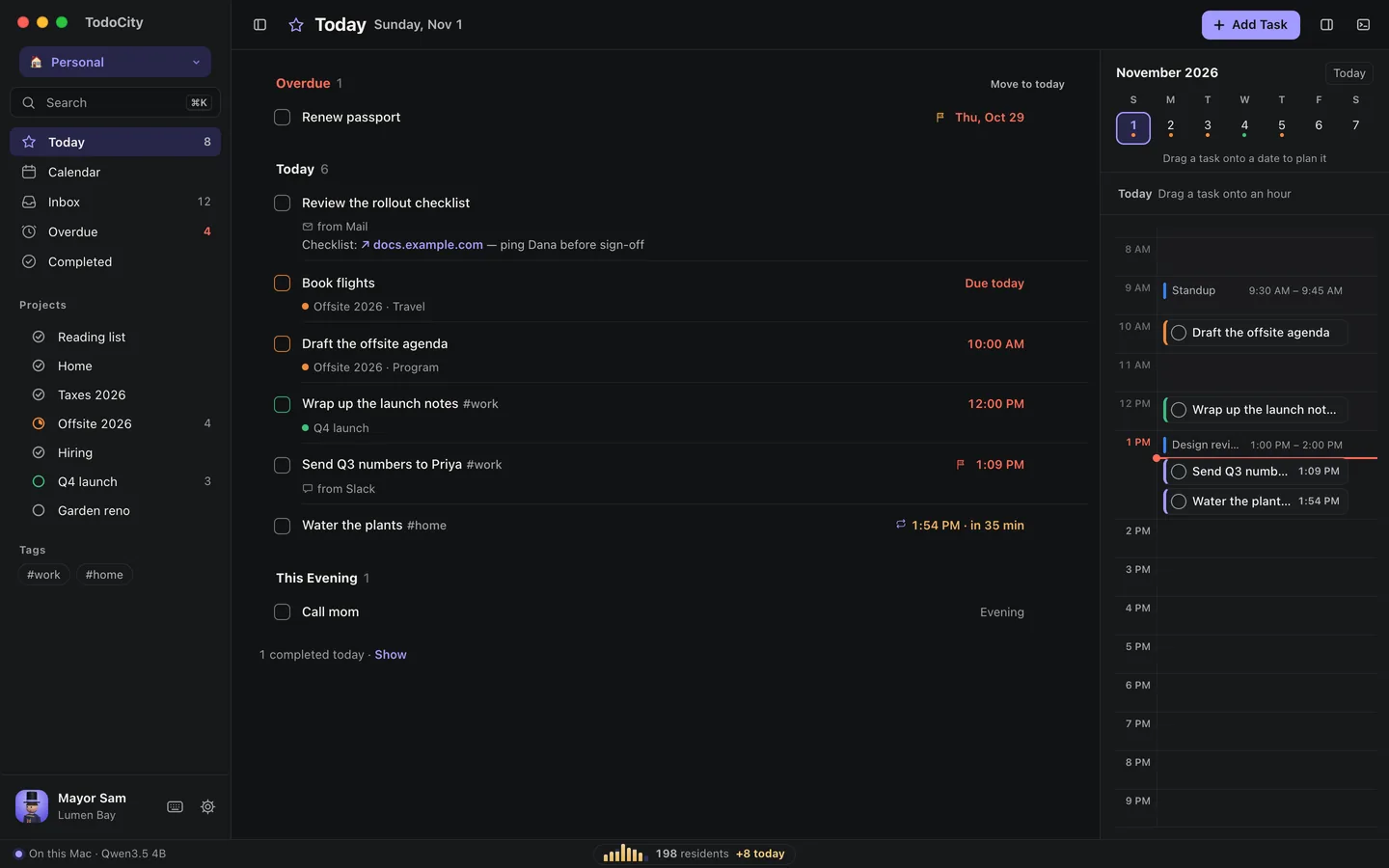
What shows in Today
- Overdue holds tasks whose day, time or deadline has already passed. Click Move to today to bring them all forward at once, or replan them one by one.
- Today lists the tasks planned for today, in time order. A task planned for later still shows up here if its deadline is today.
- This Evening is for tasks you've saved for later in the day. To put one there, select it, press D and pick This evening.
When you finish a task, it moves out of the way. A line like 1 completed today · Show brings finished tasks back into view. If you'd rather keep them in the list, turn on Settings → Appearance → Show completed tasks.
Plan with the hours
In full screen, this week's dates and the day's hours sit right beside Today, so you can plan by dragging.
- Drag a task onto an hour to give it that time.
- Drag a task onto a date to move it to that day.
- A dot under a date means something's planned for that day. A red dot means something's late.
- Click an hour to add a task at that time.
If you turn on Apple Calendar, your meetings show up in the hours as well. See Apple Calendar.
In the side panel
In the side panel, Today has a week strip across the top, and you can drag a task onto another day to move it there. The buttons at the top switch Today between a List and Hours, or you can press V.
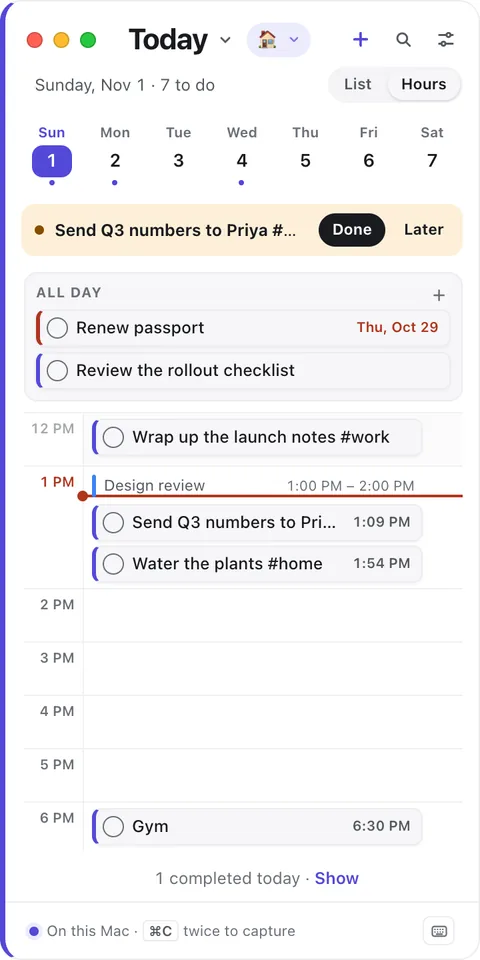
Move tasks quickly
Select a task and use these keys:
| Key | What it does |
|---|---|
| T | Move to today |
| M | Move to tomorrow |
| W | Move to next week |
| S | Snooze |
| X or Space | Complete |
Don't like these keys? You can choose your own in Keyboard shortcuts.
Modes
When you're in a mode like Work, Today only shows that mode's projects, plus tasks that aren't in any project. A line tells you how many more are waiting outside the mode, and Show brings them in.