Connectors
Settings → Connectors links TodoCity with Todoist, Things 3, Apple Calendar and Apple Reminders. Each one is off until you connect it.
Settings → Connectors is where you link TodoCity with the apps you already use. Each card tells you whether it's Connected, and you can click Connect to set one up.
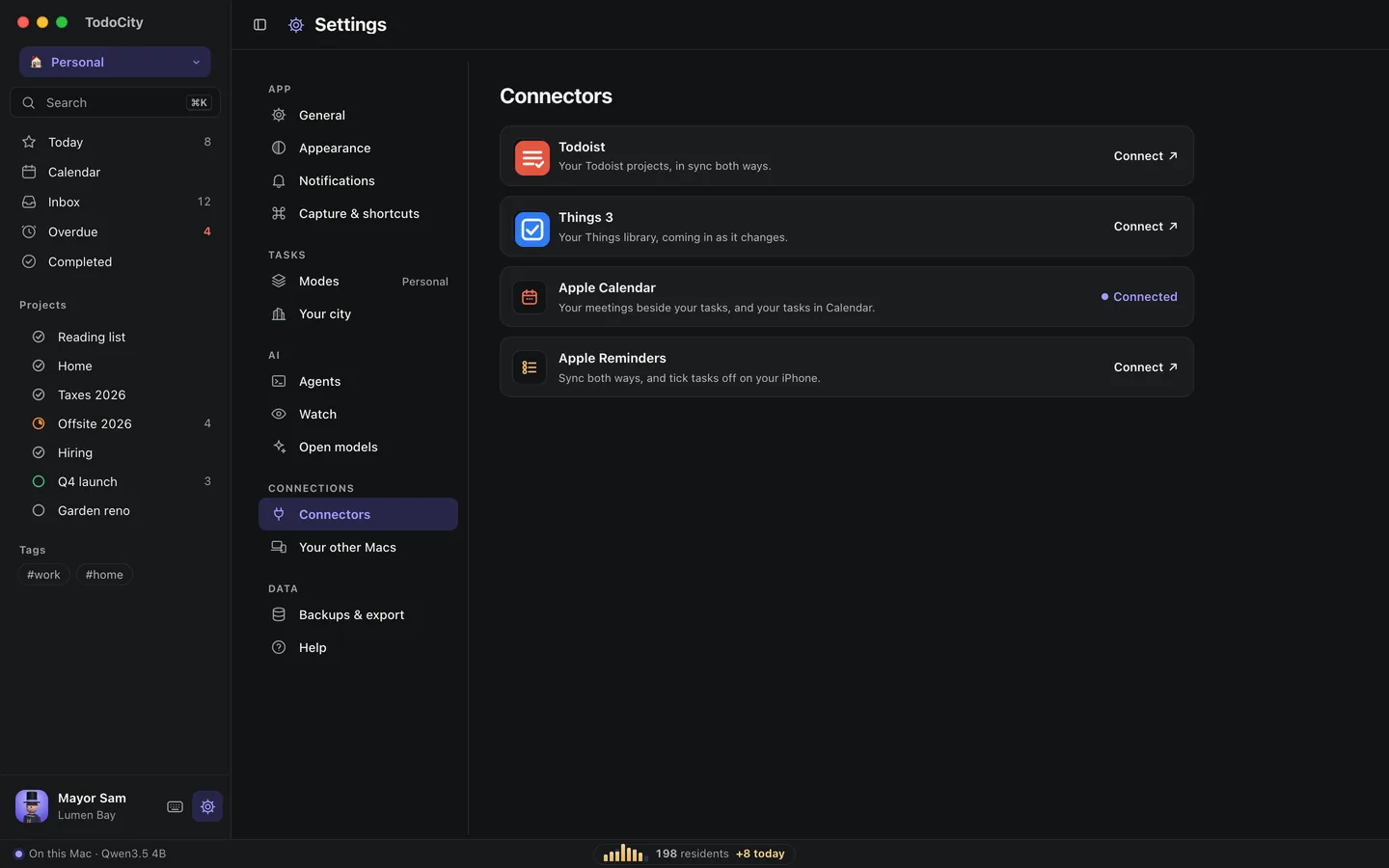
The connectors
- TodoistBring your Todoist projects over and keep both apps in sync.
- Things 3Bring your Things library over and keep new to-dos coming in.
- Apple RemindersSync both ways, and tick tasks off on your iPhone.
- Apple CalendarSee your meetings beside your tasks, and your tasks in Calendar.
On each card, the (i) next to How to move in and What goes where walks you through the steps and shows where each part of the other app ends up in TodoCity.
More connections
A few other connections have their own pages in Settings:
| Where | What it does |
|---|---|
| Settings → Your other Macs | Keeps the same tasks on all your Macs, end-to-end encrypted. See Sync between your Macs |
| Settings → Agents | Connects Claude Code, Codex, Cursor and other AI apps. See AI agents |
| Settings → Watch | Suggests tasks based on what's on your screen. See Watch |
Private by default
Every connector stays off until you turn it on, and each one tells you where your data goes. See Privacy.
Before an import
Whenever you bring in tasks from Todoist or Things 3, TodoCity makes a backup of itself first. You'll find it in Settings → Backups & export, marked before import, so you can always roll back. See Your data.