Apple Reminders
Sync TodoCity with Apple Reminders, both ways. It's how your tasks reach your iPhone, and how you tick them off there.
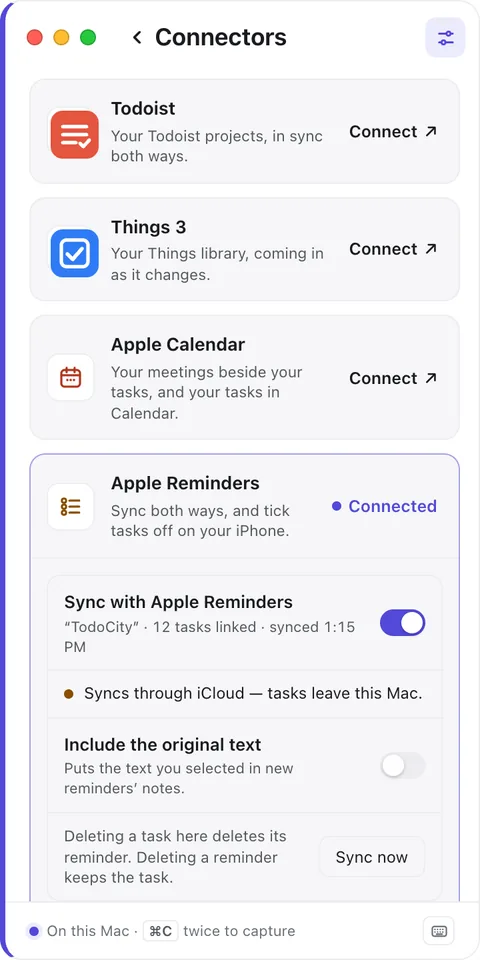
Settings → Connectors → Apple Reminders keeps your tasks and a Reminders list in sync, in both directions. TodoCity is a Mac app, so this is how your tasks get to your iPhone. Tick a task off in Reminders on your phone, and it's done in TodoCity too.
Turn it on
- Open Settings → Connectors → Apple Reminders and click Connect. When macOS asks, let TodoCity use Reminders.
- Pick a list for your tasks. You can choose New list “TodoCity”, or a list you already have.
- Choose your options from the ones below.
- Click Turn on sync.
| Option | What it does |
|---|---|
| Add my open tasks too | Copies the tasks you already have in TodoCity into the list |
| Include the original text | Puts the text you captured into each reminder's notes |
How it syncs
- It works both ways. Add, change or tick off a task in either app, and the other one catches up.
- Deleting a task in TodoCity deletes its reminder too. Deleting a reminder, though, leaves the task in TodoCity.
- Sync now on the card syncs straight away, and the card shows when it last synced.
- Tasks you've brought in from Todoist or Things 3 don't get sent to Reminders automatically.
On your iPhone
If you pick a list in your iCloud account, your tasks show up in Reminders on your iPhone, iPad and other Macs. TodoCity asks you to confirm this first with OK to copy tasks to iCloud.
If you'd rather keep everything on this Mac, pick an On My Mac list instead.
Private by default
With an iCloud list, task titles and dates sync through iCloud, so they do leave this Mac. With an On My Mac list, they're only stored on this Mac. The card always tells you which one you're using.
With two Macs
If you use sync between your Macs, each Mac keeps its own links to Reminders. When you delete a task on one Mac, its reminder is deleted too, so it stays gone everywhere.