The agent panel
Run Claude Code, Codex and other agents right beside your list, hand any task to an agent, and review its work before you mark it done.
The agent panel lets you run AI agents inside TodoCity, right next to your list. Every agent you start here already has TodoCity's MCP server connected, so you can ask it straight away to plan your day, tidy your Inbox or work on a task.
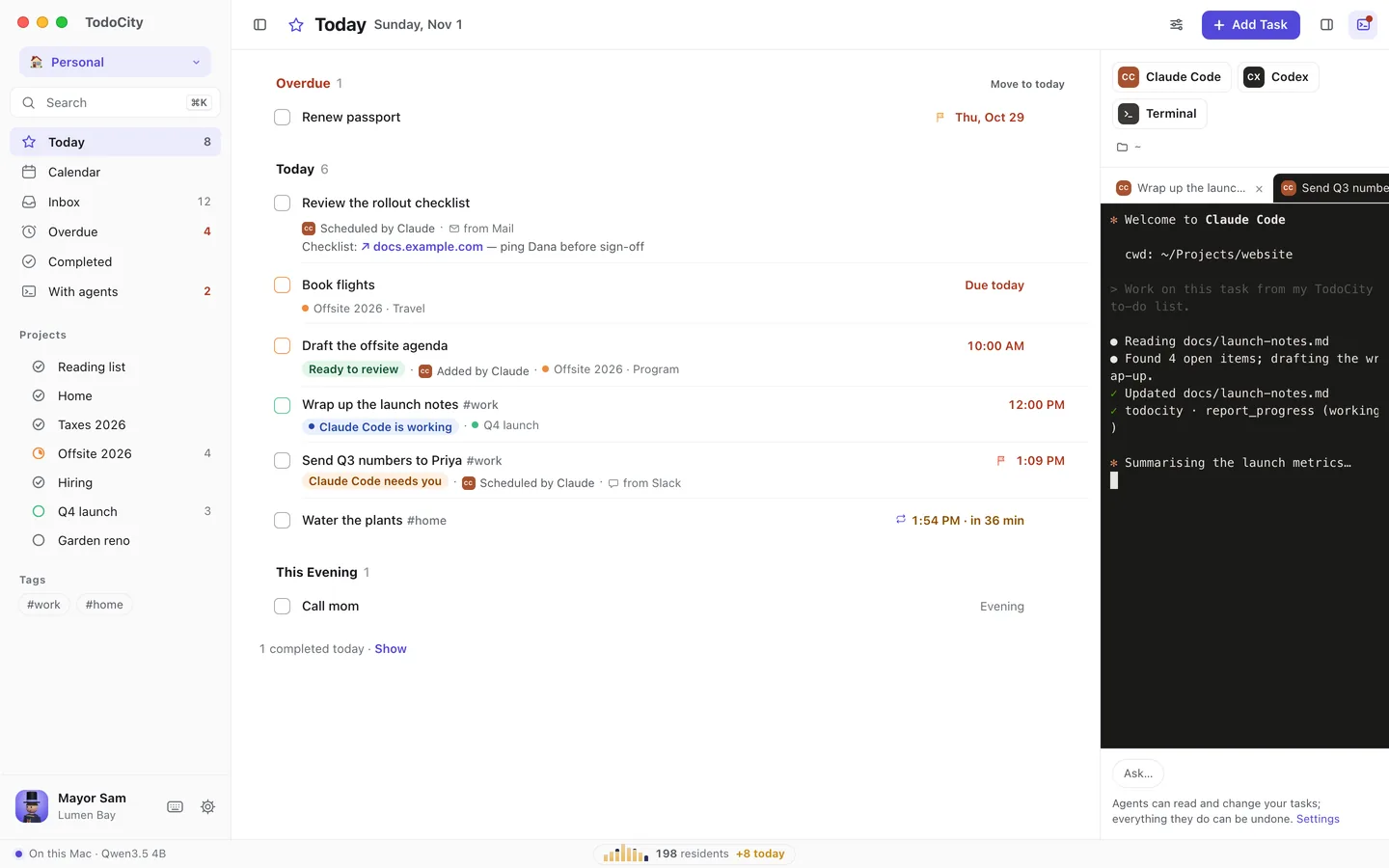
Open the panel
In full screen, click the terminal button at the top right, then start one of these:
- Claude Code
- Codex
- Antigravity CLI
- Gemini CLI
- Cursor Agent
- or a plain Terminal
You'll only see the agents that are installed on your Mac. Each session starts in a folder of your choosing, and you can change it with the folder button. Open sessions stay in the list so you can switch between them.
Send a task to an agent
- Point at a task and click the agent button at the right of its line, or choose Send to agent… from its ⋯ menu.
- Pick the agent and the folder to Work in. If there's anything else it should know, add it under Anything to add?
- Click Send to agent, or press Return.
The agent gets the task's title, notes and sub-tasks, works in the folder you picked, and keeps TodoCity posted on how it's going.
Follow along
The task shows you where the agent is up to:
| State | What it means |
|---|---|
| Working | The agent is on it |
| Needs you | The agent has a question for you. Click Answer |
| Ready to review | The agent is done and has reported back, with a summary and any links |
Once it's ready, look over the work and click Mark done. If you'd like changes, use Send back with a note.
- What it did shows everything that appeared in the agent's terminal, even after you quit TodoCity. It's kept on your Mac.
- If an agent finishes without leaving a summary, the task shows the last few lines from its terminal instead.
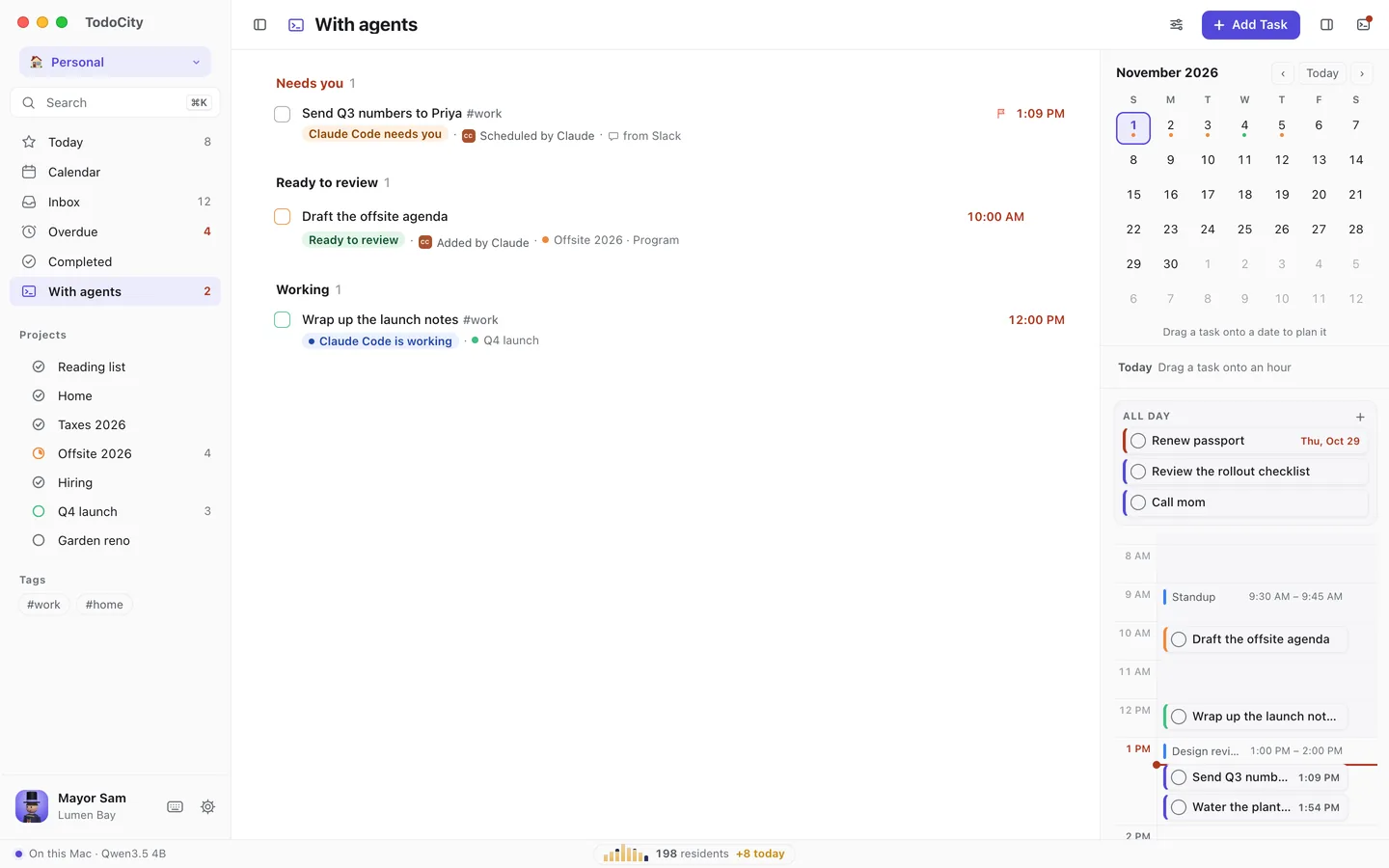
With agents
With agents in the sidebar lists every task you've handed off, grouped into what needs you, what's ready to review and what's still in progress. It shows up once you've sent your first task to an agent.
Private by default
An agent you start from the panel connects with whatever access you've chosen in Settings → Agents. When you send a task to an agent, it goes to that agent, and from there to its AI service.